Made for Homeschool · Free desktop beta
Outpost: Trailbound
A little math.
A world to build.
Find a clearing. Lay a foundation. Build something that is yours. Outpost gives each player a private block world to explore—and a reason to come back to their math.
A parent sets up the account. Play on a desktop or laptop with a keyboard and mouse.
The adventure
From open ground to
“I made this.”
Find your place.
Walk through a randomly generated landscape of hills and trees. Pick a spot for your first outpost, or follow the Survey Shelter quest for a building goal.
Build it your way.
Place and remove blocks. Fit together walls, roofs, doors and furniture. Rotate cabin parts, change their finish and use a finer grid for the details.
Keep going tomorrow.
Your nickname has its own cloud save. Return to your buildings and progress when you sign in again—even on another computer.
Inside the game
A builder’s kit,
not a blank page.
Start with familiar materials such as timber, stone, planks and glass. Open the inventory to choose a block or cabin part, put it in a quick slot, and get building.
Quests and academic challenges unlock additional materials as you go.
Get to know your tools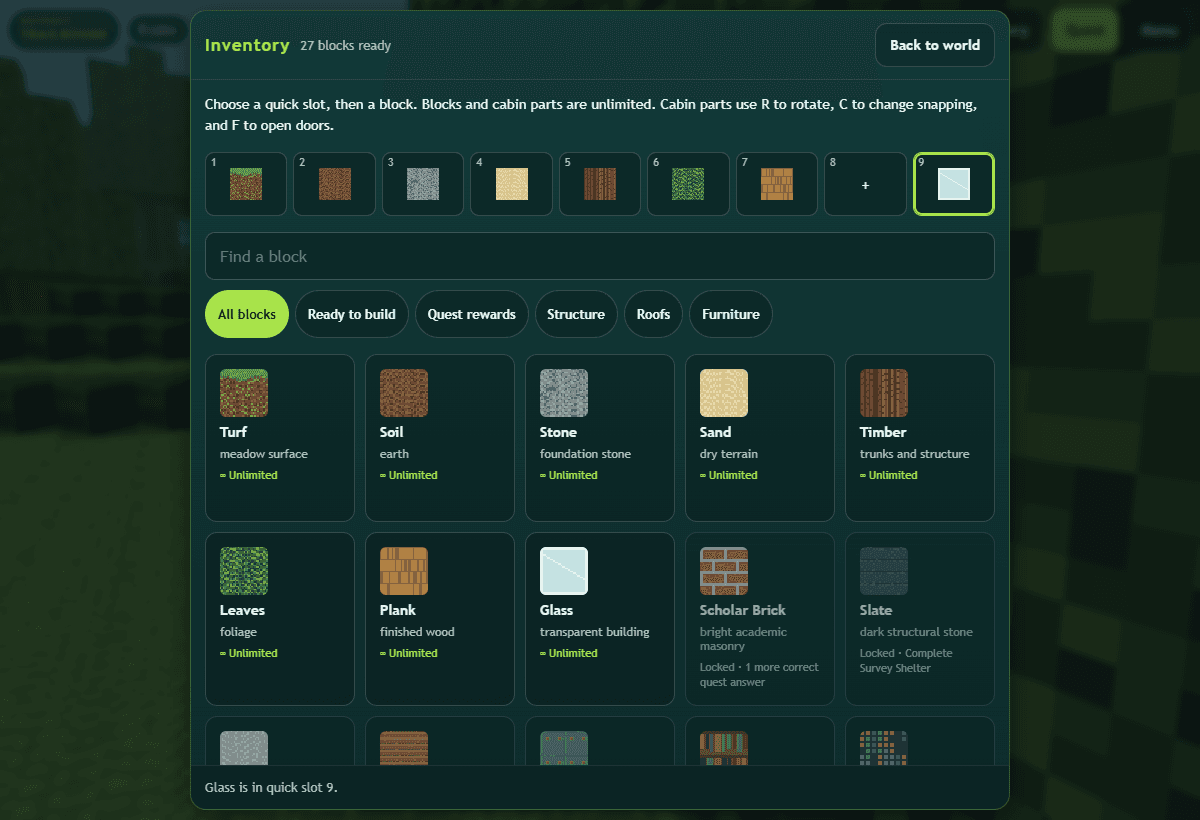
For the grown-ups
Their outpost.
Your call on the math.
Set up a separate nickname and password for each player. Choose a math practice level from 1–8, with multiple-choice answers, typed answers, or a mix.
You decide whether building time must be earned, and can add bonus time. While a player works on math, their building timer pauses. Correct exercises earn a minute; an incorrect answer keeps the same problem and their scratch work so they can try again.
These are practice levels, so choose what fits your child rather than matching a school grade automatically.
Before you set out
A few useful things
to know.
What do we need to play?
A desktop or laptop, a keyboard and mouse, and an internet connection for sign-in, math credits and cloud saves. This beta is focused on computers. Real-phone play has not been verified yet.
Will my children be in the same world?
Each nickname has a separate private world and individual progress. This beta is single-player. Siblings and other families cannot join or change one another’s worlds.
Can a player start a different world?
Yes. There is one active world per nickname. Menu → New world replaces its landscape and builds while keeping earned coins, XP and unlocked materials. Export the old world first if you want to keep it.
What does “free beta” mean?
You can try this version without a purchase. We are still refining it, so occasional bugs and changes are possible. Keep an exported copy of a world you care about, and tell us when something gets in the way.